Hexfold App
Hexfold is a tool to generate hexagonal icons from a single tile shape. Every icon starts from one piece sitting on a triangular grid, repeated with rotational symmetry: a short random walk grows a cluster of pieces inside a narrow angular wedge, and that cluster gets stamped around a centre point. The result is a balanced hexagonal mark, with thin gaps between pieces revealing the isometric grid underneath. Try it here.
It mirrors how a lot of geometric logo systems work: design one fragment, let the symmetry do the rest.
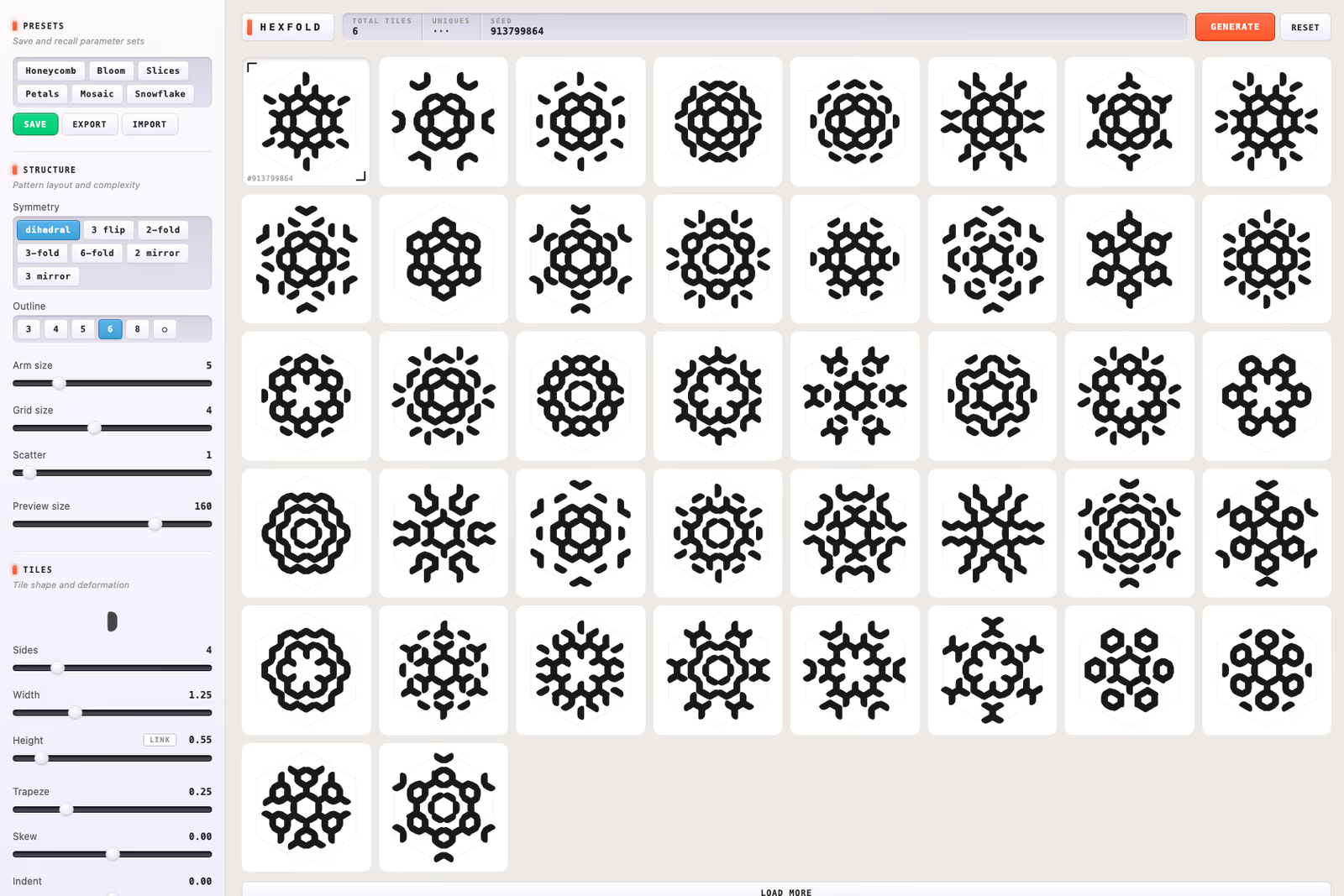
- Eight symmetry modes - From pure 6-fold rotation to dihedral, pinwheel flips, and Rorschach-style mirrors — each with its own wedge angle and character
- Tile shapes - Bar, diamond, hex, arrow, chevron, or hourglass, then deformed by width, height, taper, skew, and corner rounding
- Outline - Pieces are clipped to a triangle, square, pentagon, hexagon, octagon, or circle boundary
- Batches, not single shots - Generate produces 50 icons at once, fingerprinted so no two in a batch are the same
- Presets - Save a parameter set, reload it later, export the lot as JSON
- Export - Copy any icon as SVG at 512px, or copy its seed recipe
Every icon comes from a 32-bit seed run through a deterministic PRNG, so the seed plus the parameters is a complete recipe — the same recipe always redraws the same icon. Taper alternation is worked out by 2-colouring the edge graph, which keeps adjacent pieces the same width where they meet.
One HTML file, vanilla JavaScript, no dependencies and no build step — built with Claude. Try it here.