HashText
HashText lets you aggregate hashtagged words in your Google Doc. It's an easy way to keep track of links or content snippets, or even assign them to a concept or a person. Best of all it happens inside the natural content stream of the doc.
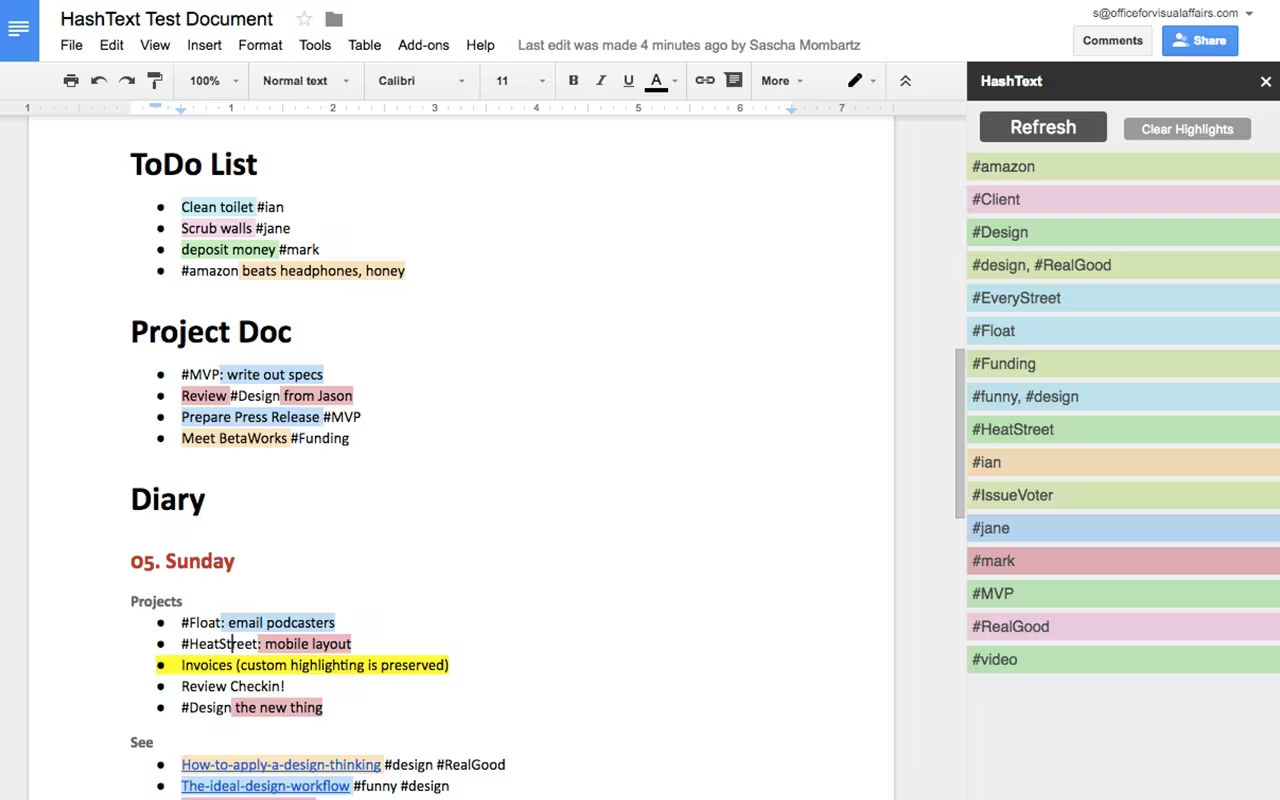
- Tag anything, anywhere - Drop a
#wordinto a to-do list, a diary entry or a line of notes; no separate field, no separate app - Aggregated in a sidebar - Refresh collects every tag in the document into one alphabetical list, so you can see the whole vocabulary of a doc at a glance
- Colour-coded in place - Each tag gets a colour from a fixed seven-colour palette, and the text that belongs to it is highlighted in that colour inside the doc
- Tag pairs count too - Something marked
#funny, #designis its own row, so combinations stay visible instead of collapsing into their parts - Non-destructive - Custom highlighting you applied yourself survives, and Clear Highlights puts the document back the way it was
Underneath it's a Google Apps Script add-on — a script that walks the document body and a small HTML template for the sidebar — reading the doc, collecting the tags and writing the highlights back as text background colours. The palette is seven fixed values: #F5A623, #2392F5, #D0021B, #7ED321, #2CCAE6, #F264B2 and #1AD72B, handed out one per tag. It got as far as a full Chrome Web Store listing — icon, small and large tiles, marquee, screenshots — and then stopped there.
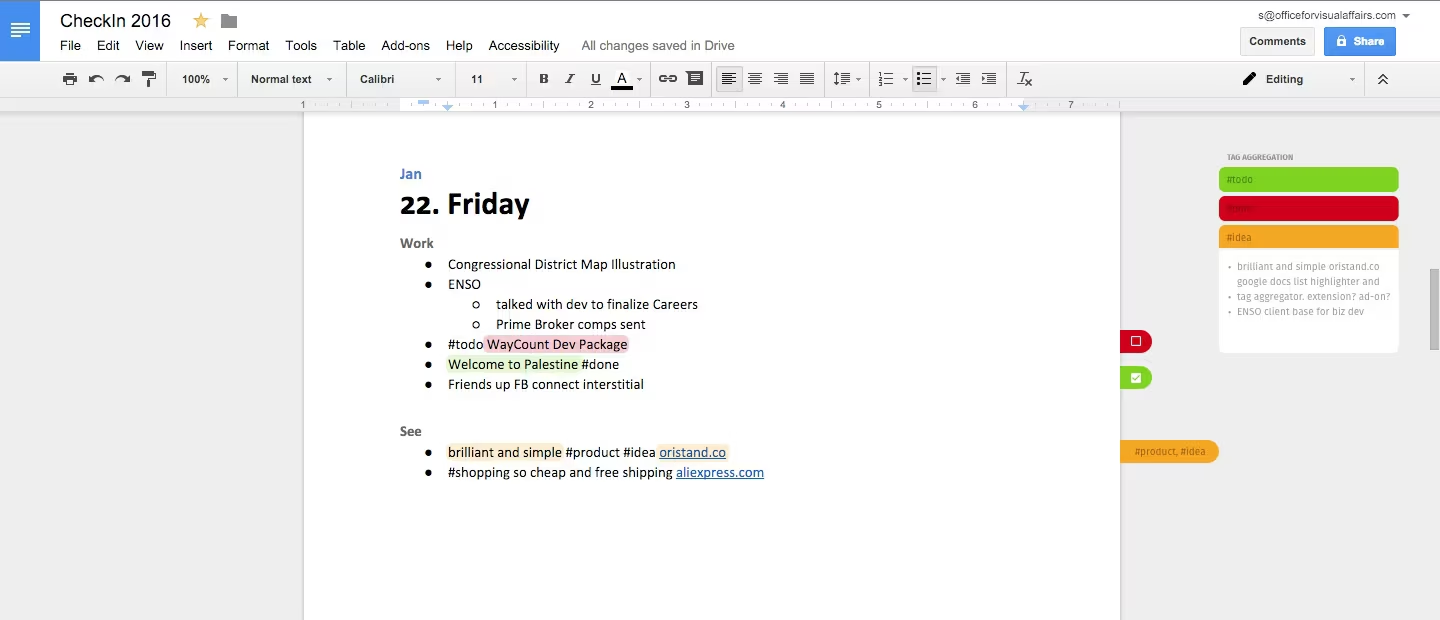
It started as a design study rather than an add-on. The first mockup floated the aggregation panel next to the page, with the tags as loose chips drifting in the margin, and listed the lines carrying each tag underneath. The built version docked all of that into the sidebar instead — where Docs already puts everything else, and where it leaves the page itself alone, which was the whole point.