
Mission Control
Work in progress This project is actively being built. If there are links use at your own risk. This page might also be out of date.
I built a small one-page dashboard for managing local dev projects – it's been super useful for me and the feedback made me create a version you can use yourself. It has since grown into something bigger than a dashboard: it's where I actually work now. Source on GitHub.
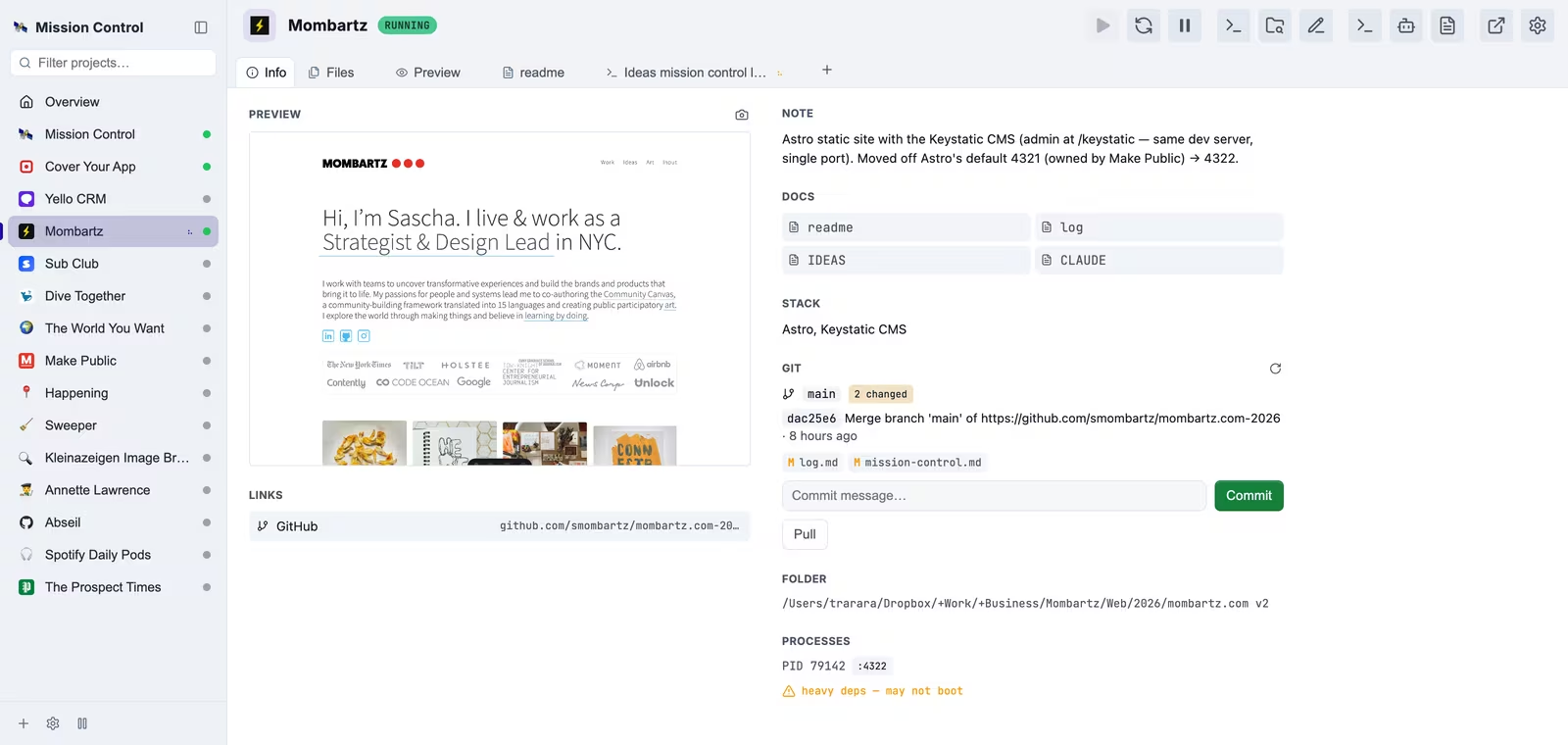
It's a sidebar and tabs. Projects run down the left, each one opens its own set of tabs, and everything I used to leave the browser for happens in the same window:
- Overview - The old card view, still the first thing you see: every project, its state, ports and links on one board
- Console - A real terminal per project, plain shell or a Claude Code session, which survives a page reload and picks up where it left off
- Logs - Streamed live, in a tab or a pop-out window
- Files - The project tree with an editor in it, so a one-line fix doesn't need an IDE
- Docs - Every markdown file in the project, read or edited in place
- Info - Git branch and changes with commit, push and pull, plus links, stack and a preview screenshot
- Preview - The running app in a frame, next to the terminal that's building it
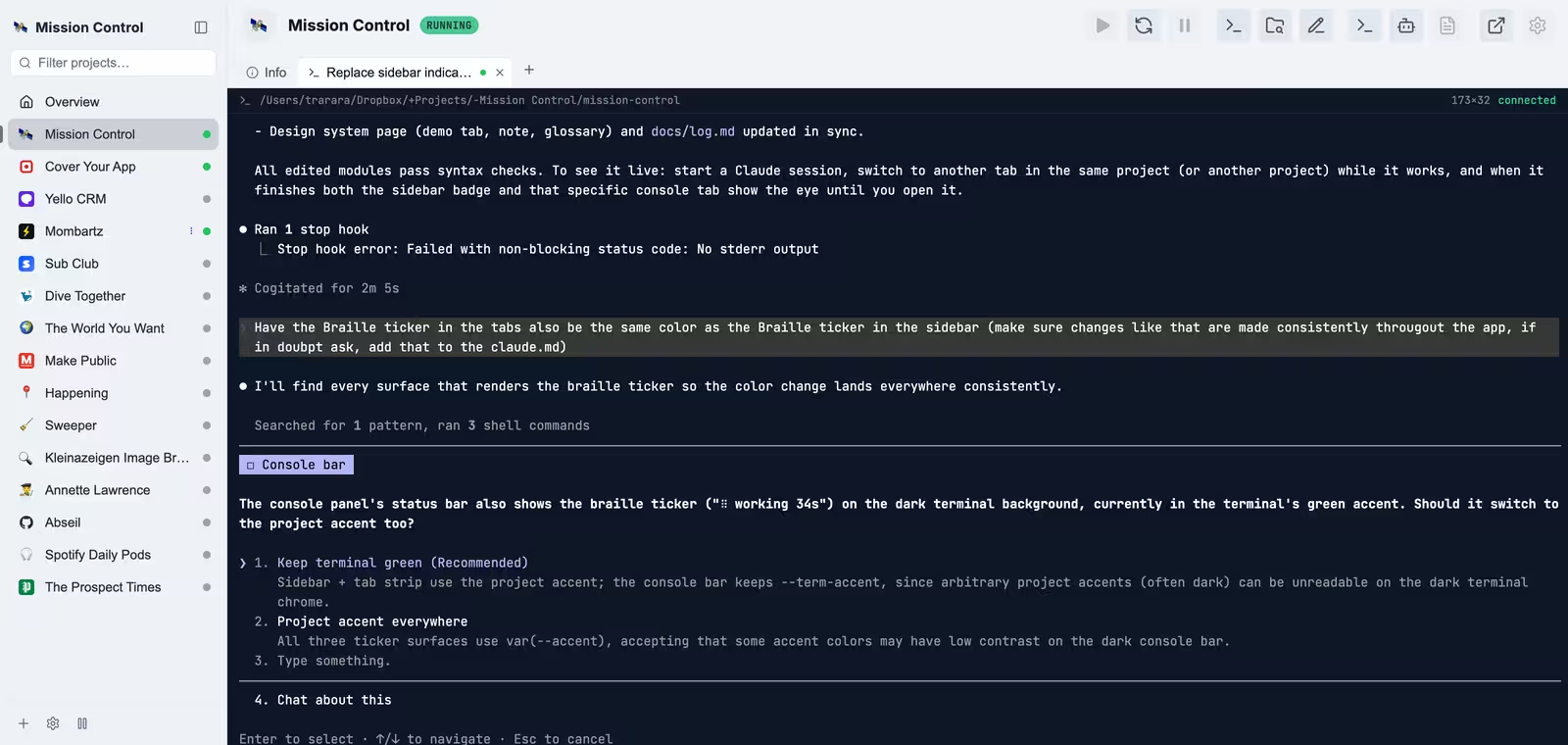
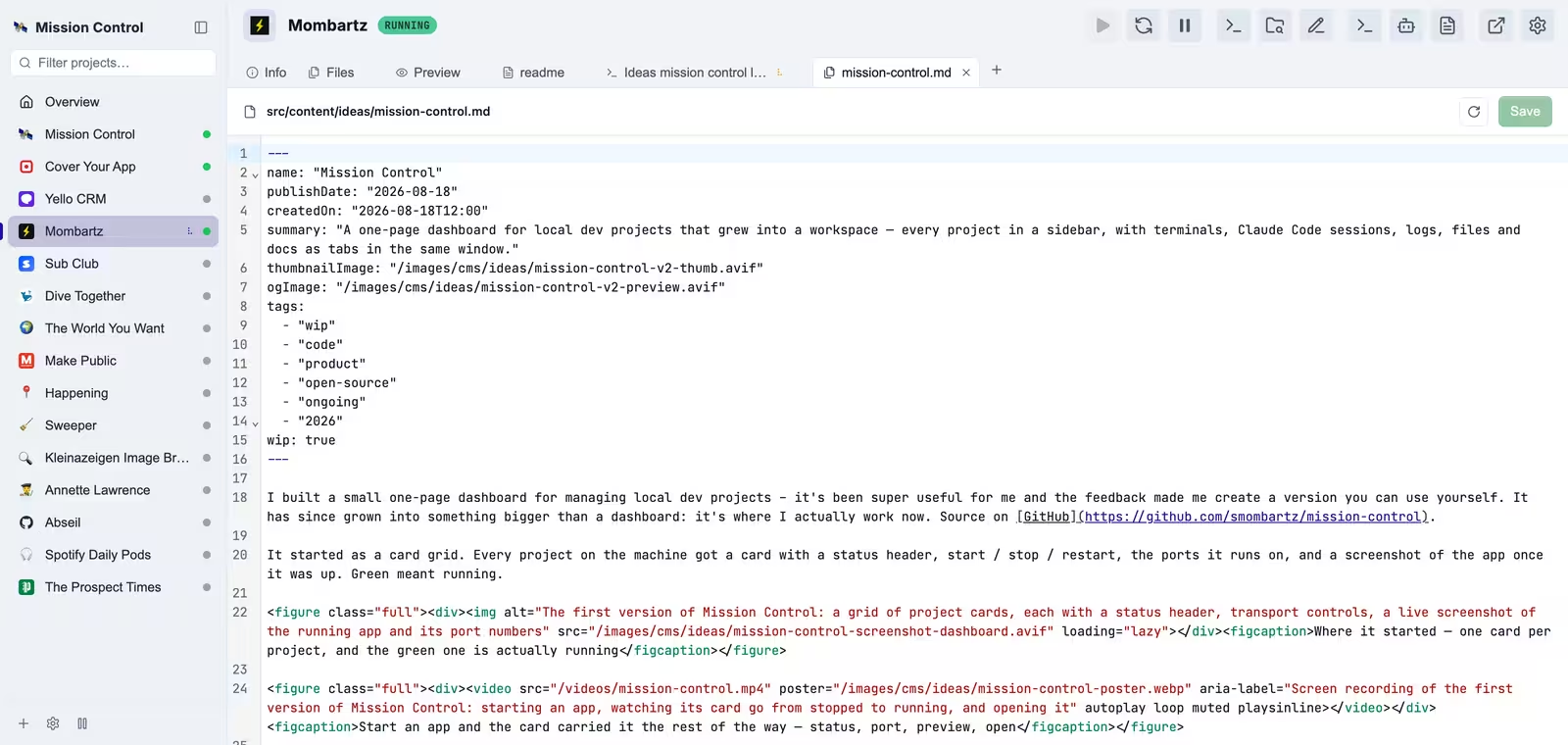
Adding a project is a folder picker: it guesses the framework, the start command and a port nothing else is using. All of it writes to one file you can also just edit by hand.
Underneath it's still deliberately simple — Node and Express, vanilla JavaScript, no build step, and Express is the only runtime dependency. The terminals need Python, which macOS already ships. Working out when Claude is busy and when it's waiting for you turned out to be the hardest small thing in the whole project.
A few notes: some extras (folder picker, Finder/terminal shortcuts, launch-at-login, screenshots) are macOS-only for now, and it binds to localhost with no authentication, so it's not meant to be exposed. Fair warning: it's had exactly one user so far — me.
How it got here
It started as a card grid. Every project on the machine got a card with a status header, start / stop / restart, the ports it runs on, and a screenshot of the app once it was up. Green meant running.
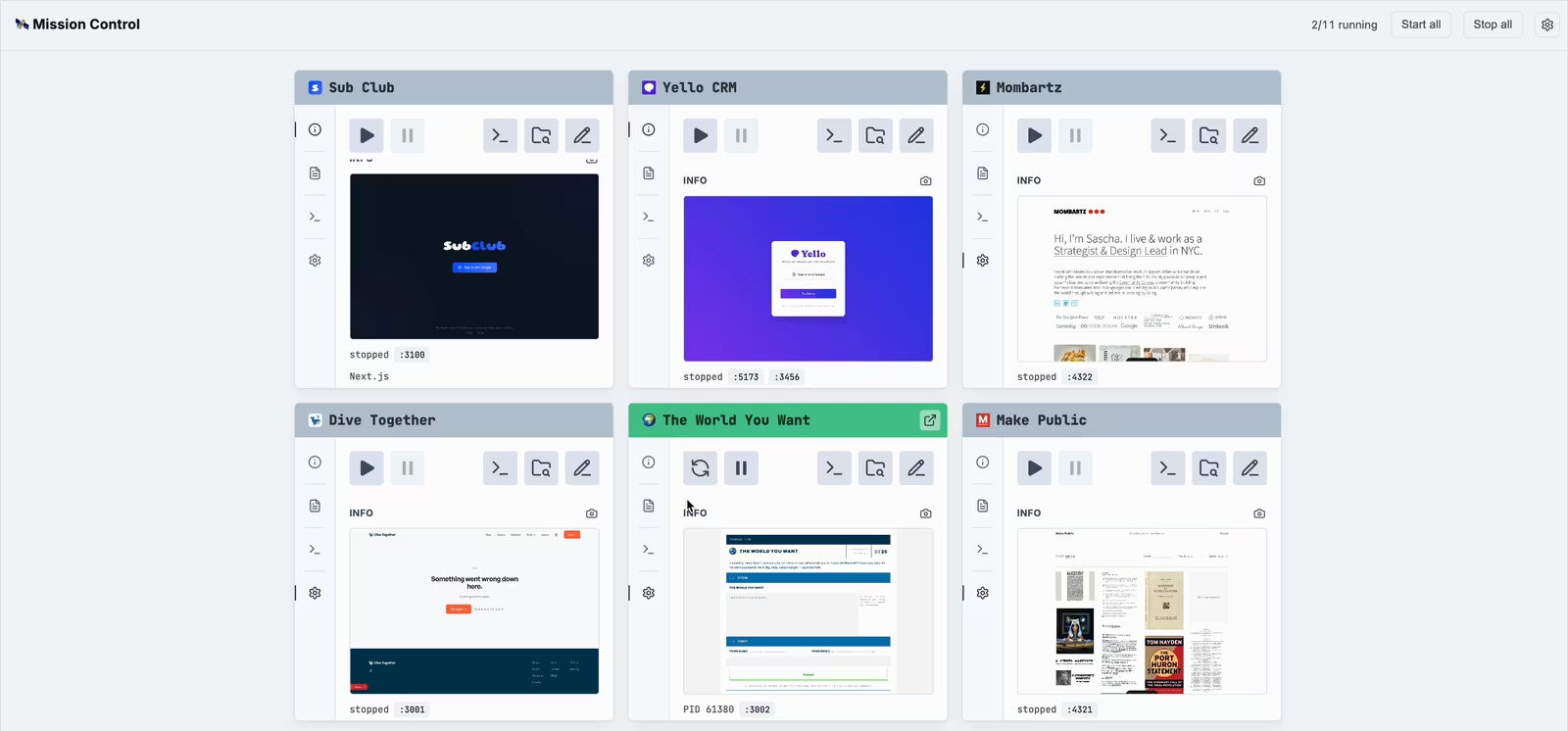
That part worked. Everything after it didn't. The dashboard told me the state of things and then made me leave to do anything about it — a terminal window here, an editor there, a Claude Code session in its own app, and back to the browser to check whether the thing had actually come up. It was good to look at and a bad place to work.
The fix started as a spike: could a browser tab host a real terminal, well enough to run Claude Code inside it? Once that worked the rest followed. I built the new version next to the old one, on its own port, sharing the same backend and the same project list, and ran both until the new one was better. Then the old one went, and the card grid came back as the Overview tab at the top of this page.
Built with Claude. Source on GitHub.